
TASK-5:Containerize the Timetable management System application and run the container

👋Hello, Hashnode community! I'm subbaramireddy, a passionate DevOps Engineer with a relentless commitment to optimizing software development workflows and infrastructure management. 🚀 Hands-on experience in the DevOps field, I've honed my skills in AWS cloud services, containerization, and CI/CD pipelines. As an AWS Certified Developer, I'm well-versed in leveraging cloud technologies to drive efficiency and innovation. 💡 I firmly believe in the power of continuous improvement. My journey began with an internship, where I immersed myself in the intricacies of DevOps, from deploying web applications to orchestrating containerized solutions. I've also delved into AWS CDK, enhancing security through RDS instance policies, and creating foundational infrastructure with precision. 🌐 My goal is to share insights, best practices, and the latest trends in the DevOps landscape. I'm excited to connect with like-minded professionals, engage in meaningful discussions, and learn from the diverse experiences of the Hashnode community. 📝 Let's explore the ever-evolving world of DevOps together. Feel free to connect with me, ask questions, or share your own insights. Together, we can drive innovation and efficiency in the tech world!
Docker

Docker is a containerization platform that enables rapid development, testing, and deployment of applications. It packages software into standardized units known as containers, which contain all the necessary components for the software to run, including libraries, system tools, code, and runtime.
Steps:
To containerize our application, we need the Docker software, which can be downloaded from the following link: Docker
Here are some fundamental Docker commands:
docker --versiondocker searchdocker pulldocker rundocker psdocker stopdocker restartdocker execdocker pushdocker rmi
To containerize our application, we need to create a Dockerfile as follows:
# base public image
FROM php:8.1.1-apache
COPY ./ttms /var/www/html

RUN echo "ServerName localhost" >> /etc/apache2/apache2.conf

#install the mysqli module
RUN docker-php-ext-install mysqli
EXPOSE 80
To build the image, you can use the following command: docker run -t . ttms:1.0
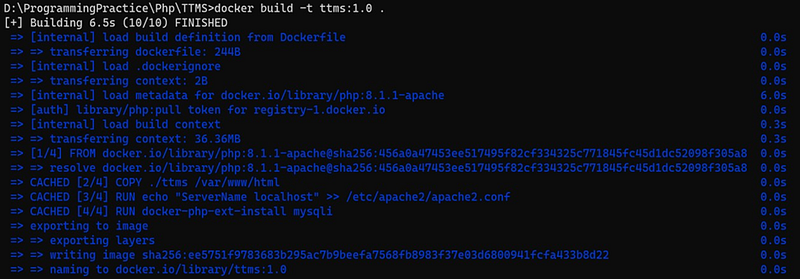
You can view the built image by using the command docker images.

To run the Docker image, execute the following command: docker run --name ttmscontainer -p 80:80 ttms:1.0.

To see the list of containers, you can utilize the command docker ps.

You can access the container from the browser using the container's IP address. To obtain the container's IP address, you can use the command docker inspect containerID.
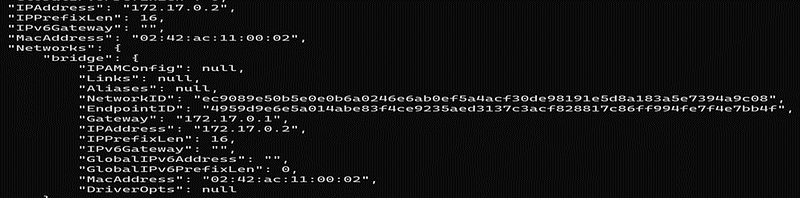
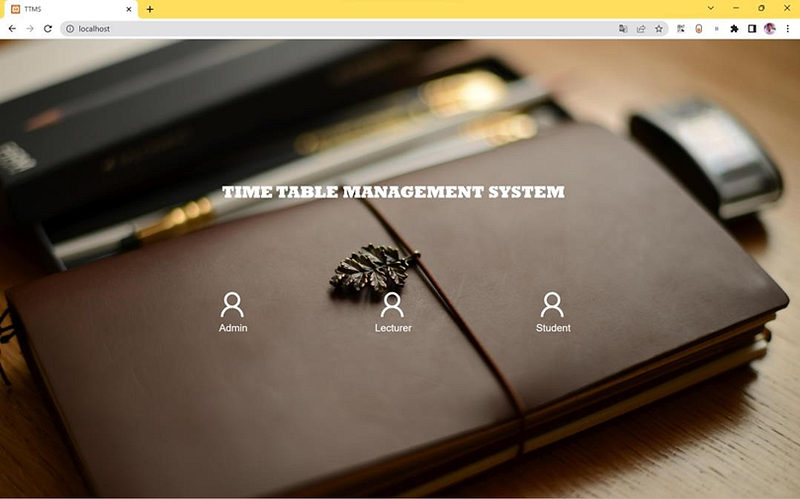
You can access the container by using its IP address with port 80.
Docker Compose
Docker Compose is a tool designed to simplify the definition and sharing of multi-container applications. With Compose, you can create a YAML file to specify the services, and using a single command, you can easily start everything up or completely remove it.
To containerize our application, let's create a Docker Compose file as shown below and save it as 'docker-compose.yml'.
version: "20.10.23" # docker version
services:
  www:
    build: ./
    container_name: ttms
    volumes:
      - "./:/var/www/html" # Sync project dir with container we dir
    ports:
      - "80:8080" # Expose port 80 to host
      - "443:443" # Expose port 443 to host for future ssl traffic
  phpmyadmin: #workspace to view the database content
    image: phpmyadmin/phpmyadmin
    ports:
      - "8001:80"
    environment:
      - PMA_HOST=timetable.cd2ekhi0lppt.ap-south-1.rds.amazonaws.com
      - PMA_PORT=3306
To launch multiple containers, use the command docker-compose up.
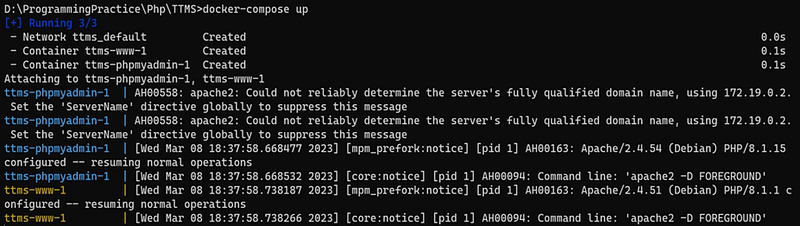
To list the containers, use the command docker ps.

To stop and remove multiple containers, you can use the command docker-compose down.

You can access the container by using its IP address with port 80.
Thanks for reading! I hope you found this helpful and informative.
I'm always happy to connect with fellow tech enthusiasts and answer any questions you may have. Don't forget to follow me for more updates on tech, programming, and more.😄😄
Follow me on LinkedIn to see interesting posts like this : ) Linkedin


